

Emma
Last Update today
When parents search for a tutor using our tutor-finding wizard, they provide valuable information about their child's needs, scheduling preferences, and budget. As a teacher, you can now view this information to better understand your students and prepare for your lessons.
How to View Parent Preferences
Navigate to Students in your tutor dashboard. For students who completed the tutor-finding wizard, you'll see a Parent Preferences icon (document with magnifying glass) in the actions column:

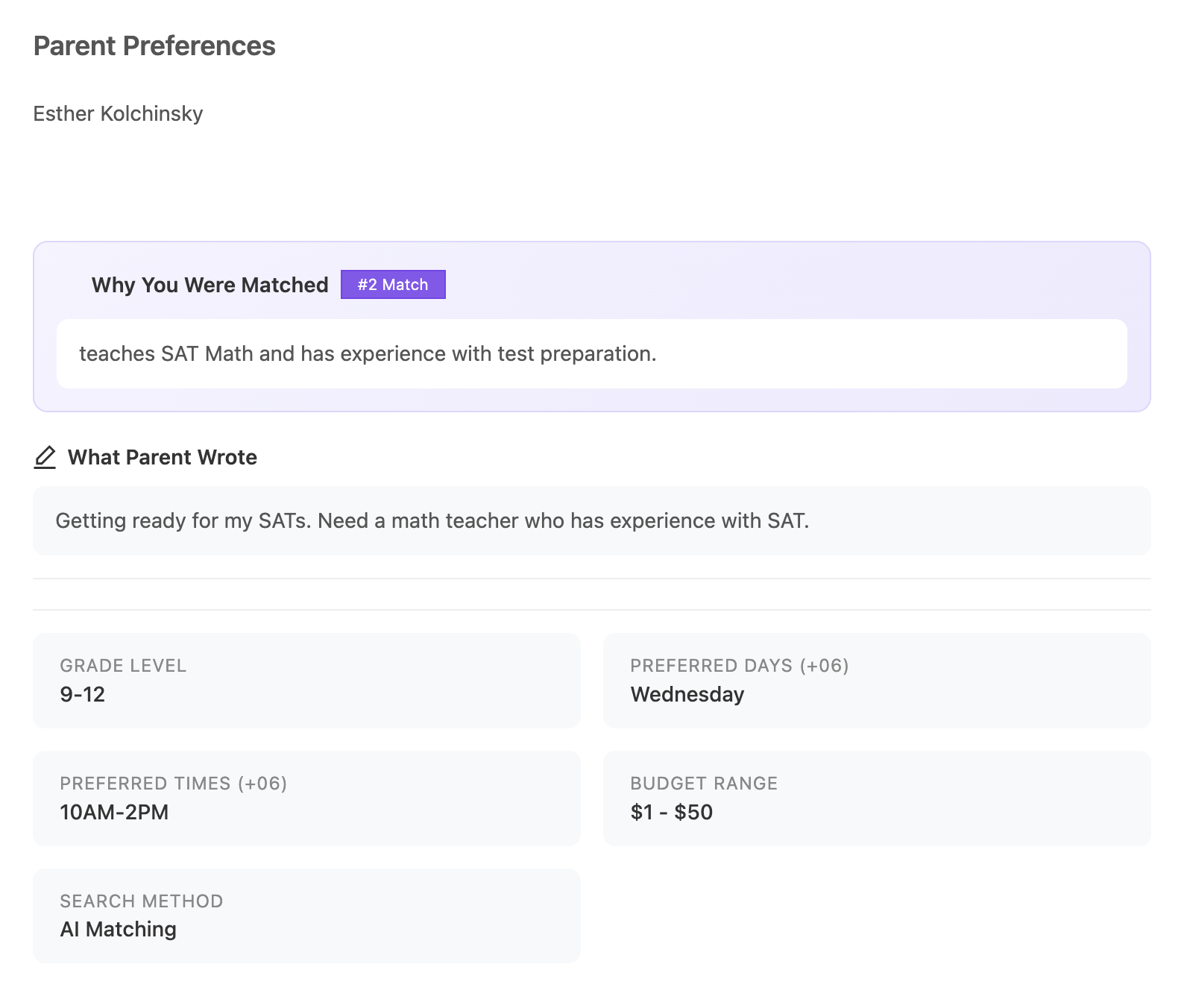
Click this icon to open the Parent Preferences popup:
What Information is Shown
The Parent Preferences popup displays:
- Why You Were Matched - If the parent used AI matching, you'll see a personalized explanation of why our system recommended you for this student, along with your match ranking (e.g., #1 Match, #2 Match).
- What Parent Wrote - The description the parent provided about their child's needs and goals.
- Grade Level - The student's current grade level or age group.
- Preferred Days - Days of the week the family prefers for lessons, converted to your timezone.
- Preferred Times - Time slots that work best for the family, converted to your timezone.
- Budget Range - The price range the parent indicated they're comfortable with.
- Search Method - Whether the parent used AI Matching or browsed the tutor list.
Email Notifications
When a new student contacts you or books their first lesson, you'll also receive an email containing this same information. This helps you prepare for your initial conversation and tailor your approach to the student's specific needs.
Using This Information
This feature helps you:
- Understand the student's goals before your first lesson
- Prepare relevant materials based on their grade level
- Schedule lessons at times that work for the family
- Set appropriate expectations around pricing
- Build rapport by showing you understand their needs
Note: The Parent Preferences icon only appears for students who completed the tutor-finding wizard. Students who signed up through other methods will not have this information available.
🤝 Need Additional Support?
Our comprehensive help documentation and support team are here to assist you.